The process of moving your Microsoft services to us from GoDaddy.com requires a couple of steps. The first step is to grant us delegated access to the domain name that you are using for email. Doing this takes about 5 minutes of time.
1) Log in to the main GoDaddy.com account that is responsible for billing.
2) In the top right hand corner, click the drop down by your name.
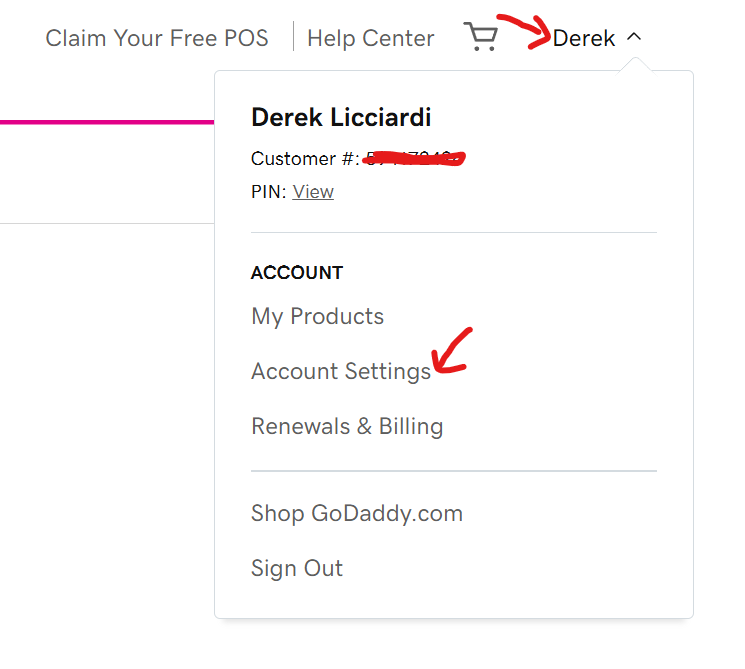
3) Select Account Settings. This will take you to your account profile page and will look something like the screenshot below.
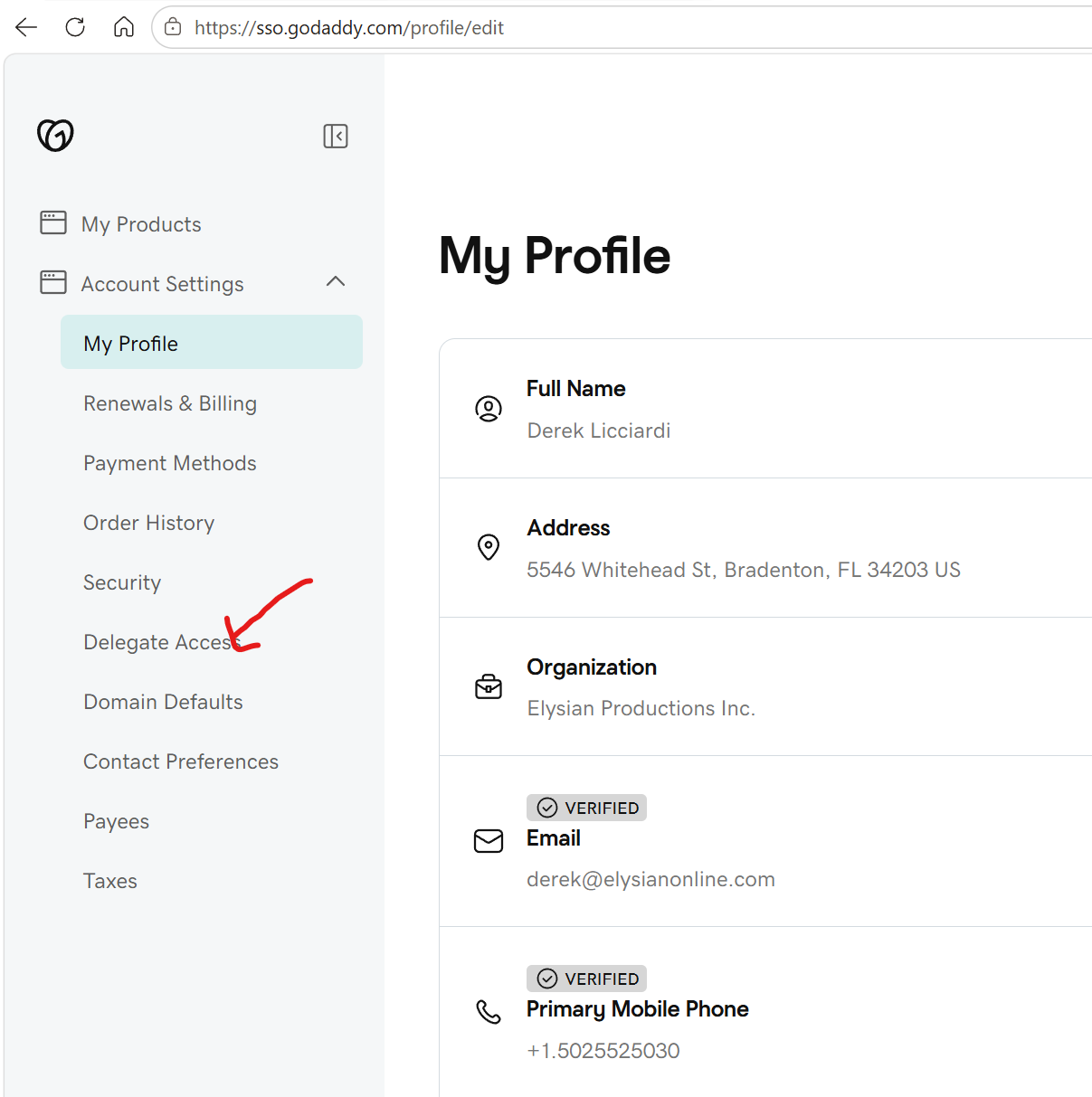
4) Click on Delegate access. You will be asked to verify the account using whatever two factor authentication you have setup for the account.
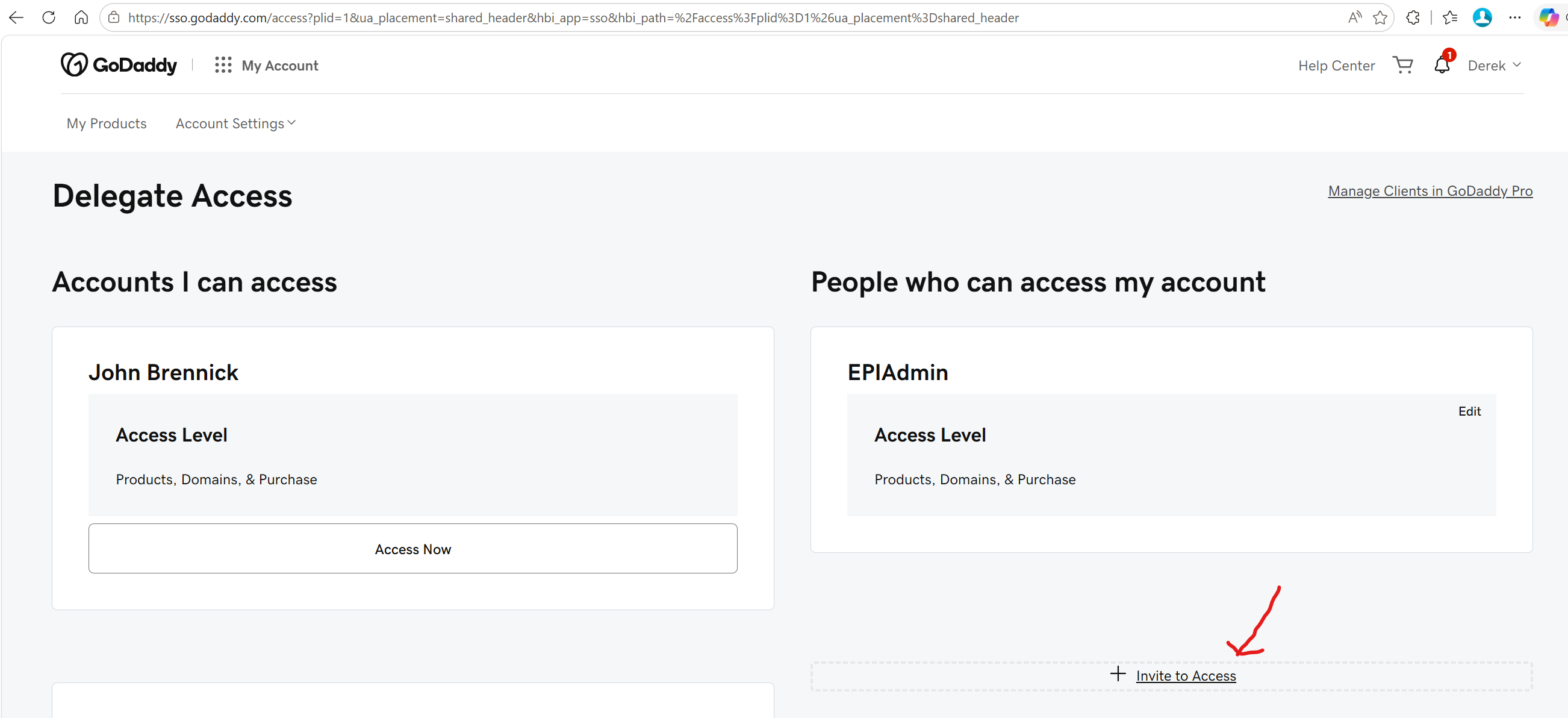
5) Click on Invite to Access.
6) Enter the following details into the form.
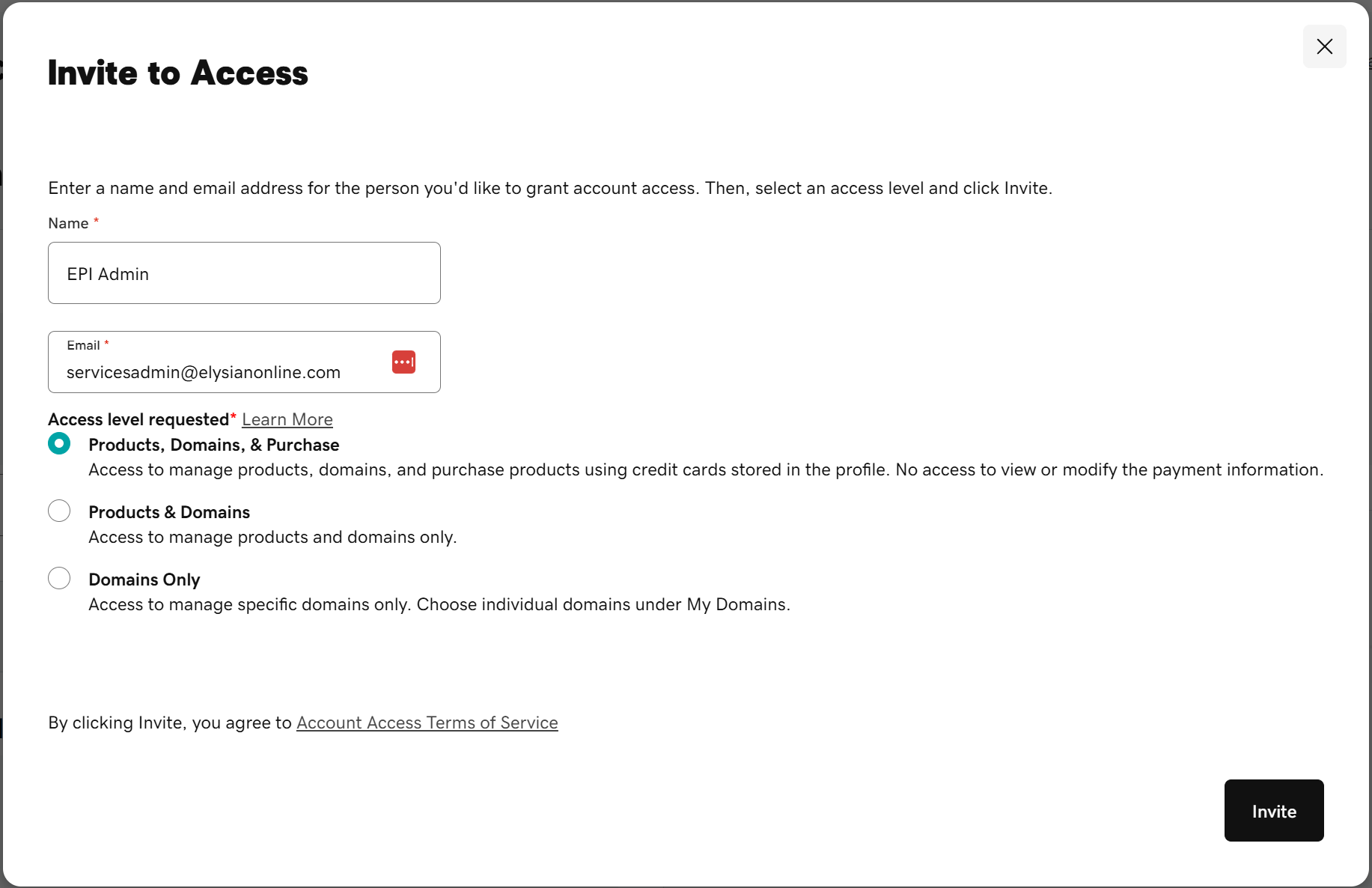
7) Click Invite. Please send an email to support@elysianonline.com indicating that the invite has been sent so that we are aware of it and can accept the invite.
Was this article helpful?
That’s Great!
Thank you for your feedback
Sorry! We couldn't be helpful
Thank you for your feedback
Feedback sent
We appreciate your effort and will try to fix the article