CoPilot offers Microsoft 365 users AI assisted capabilities in all of the supported Microsoft 365 applications. So you've decided to dive into AI and purchased one of the many Copilot licenses. Now what?
First Steps - Update your Office 365 Applications
On Windows, Click Start, type "Windows Update" and then click Advanced.
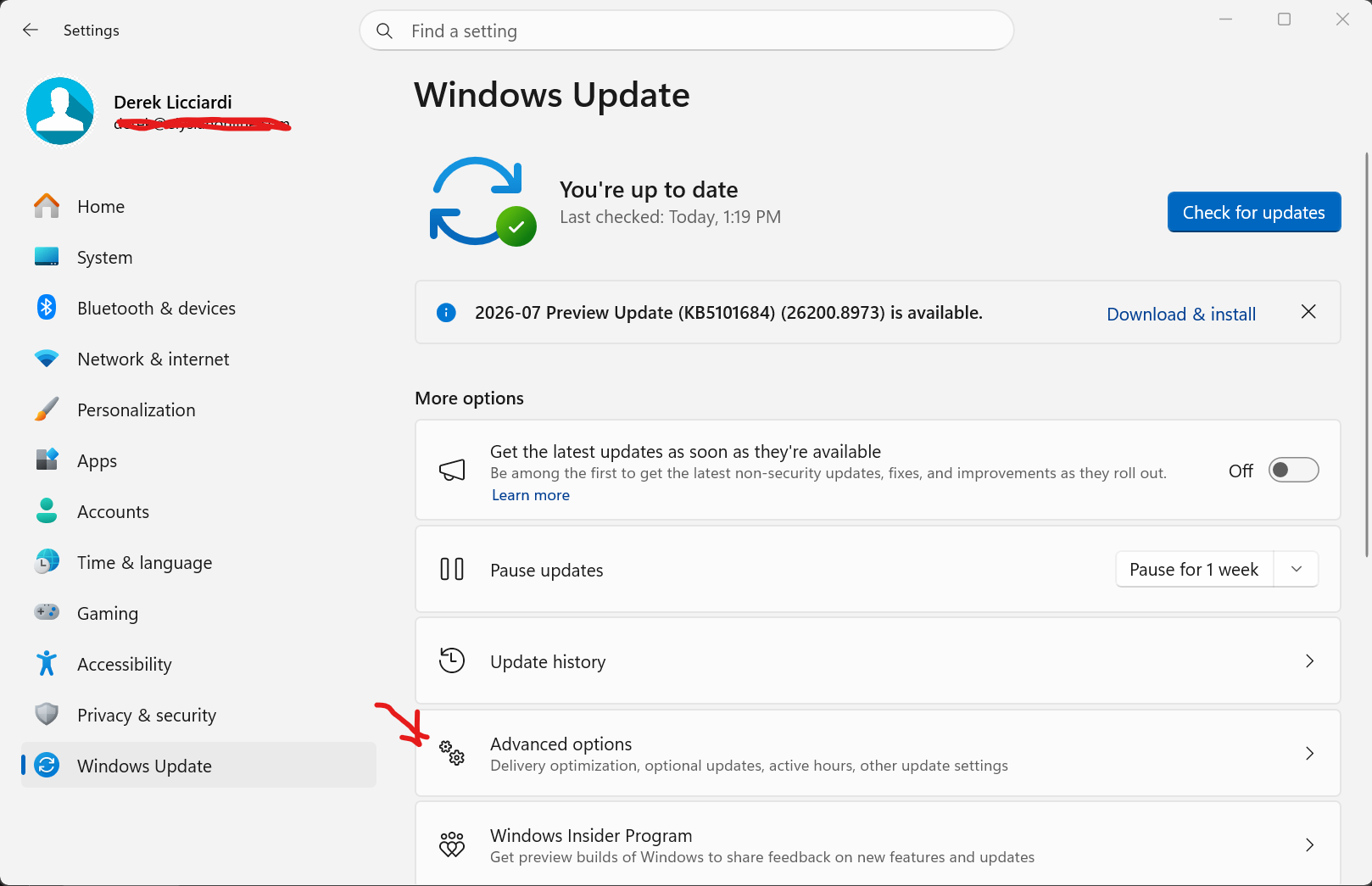
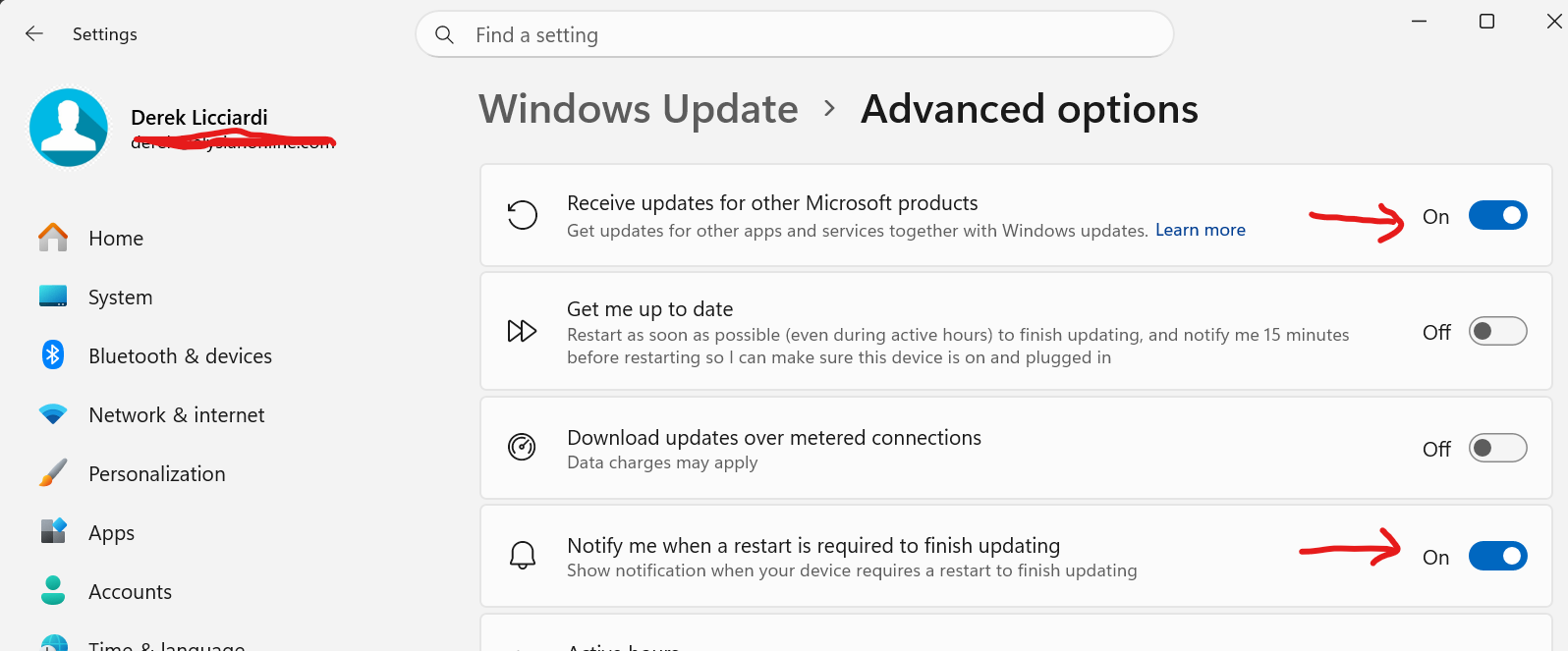
Check for updates and install whatever you find.
Make sure that Microsoft Teams is installed and up to date.

If you see this, click it and let Teams update.
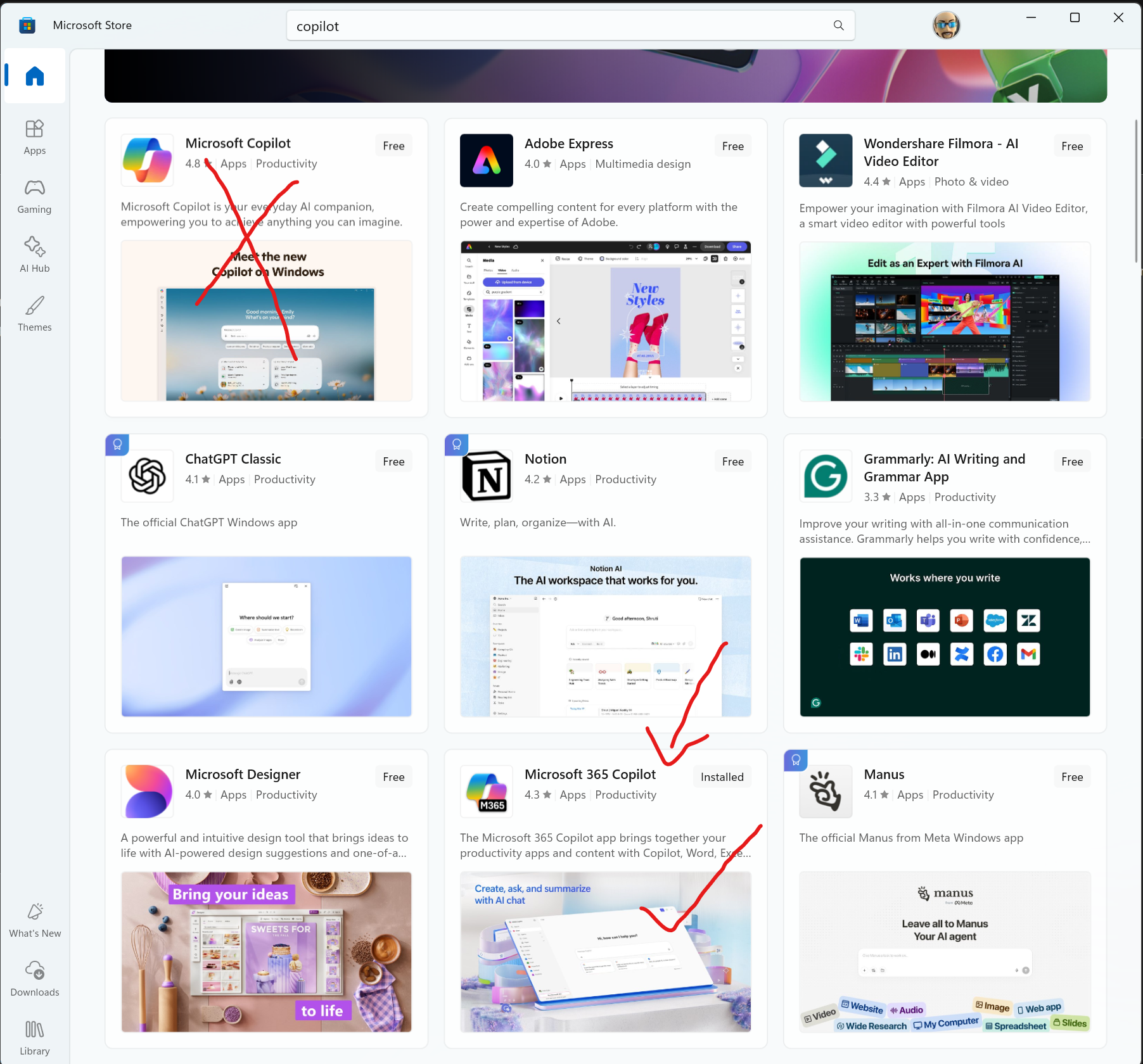
Download and install the "Microsoft 365 Copilot" app from the Microsoft Store. The app labeled "Microsoft Copilot" is for personal users. The app "Microsoft 365 Copilot" is for business users.

Agents, search and other features.
They all start from the Copilot application. Copilot consists of two major parts, Copilot Chat and Copilot Cowork. The former is accessed in the apps like Microsoft Teams, Edge browser, Word, Excel and Outlook or directly from the Copilot desktop application. The latter is for agents that you deploy to do work for you or for services such as image and video generation or translation.
What is Microsoft 365 Copilot? | Microsoft Learn
Cowork is billed via a credit system. Each credit is $.01.
Usage-Based Billing and Cost Management for Copilot Credits | Microsoft Learn
Copilot Cowork overview | Microsoft Learn
Use Copilot Cowork | Microsoft Learn
Choose a model for Copilot Cowork | Microsoft Learn
Was this article helpful?
That’s Great!
Thank you for your feedback
Sorry! We couldn't be helpful
Thank you for your feedback
Feedback sent
We appreciate your effort and will try to fix the article